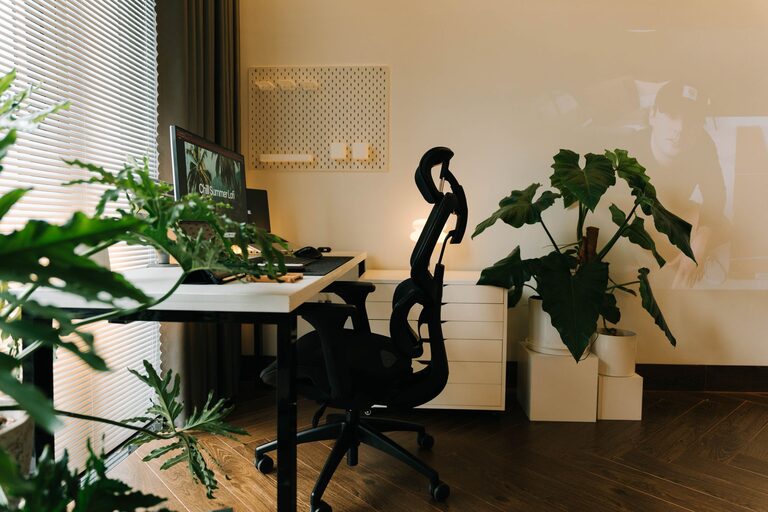

Creating an organized workspace is one of the most effective ways to boost both productivity and creativity. A cluttered desk or office can distract your mind, increase stress, and slow you down. By developing a clean, orderly environment, you invite clearer thinking and better workflow. Here are some helpful tips to transform your workspace into a clutter-free zone.
Why a Clutter-Free Workspace Matters
Before diving into specific tips, it’s important to understand why organization impacts your work:
– Reduces distractions: An uncluttered desk keeps your attention focused on the task.
– Saves time: You’ll spend less time searching for documents or tools.
– Encourages creativity: A tidy space fosters mental clarity, making it easier to think creatively.
– Lowers stress: Visual clutter can cause feelings of overwhelm, so clearing your space helps calm your mind.
Step 1: Declutter Your Desk
Start by removing everything from your desk. Then sort items into categories: keep, relocate, or discard.
– Keep: Only essential tools and frequently used items.
– Relocate: Items that belong in other rooms or drawers.
– Discard: Trash, broken tools, or things you no longer need.
Keep your desktop mostly bare except for one or two necessary items like your computer and a notepad.
Step 2: Use Storage Solutions
Utilize storage options to keep items neatly out of sight:
– Desk organizers: Use trays, pen holders, and small bins for supplies.
– Drawers: Assign specific drawers for stationery, documents, and electronics.
– Shelves and cabinets: Store books, binders, and equipment out of the immediate workspace.
Labeling storage containers can make it easier to find what you need quickly.
Step 3: Manage Your Cables
Tangled cords can add to a cluttered look and cause frustration.
– Use cable organizers: Clips, sleeves, or boxes help keep cables neat.
– Limit cable length: Use shorter cords or coil excess cable.
– Keep electronics close: Position chargers and devices to minimize visible wires.
Cable management not only looks tidy but also creates a safer workspace.
Step 4: Create a Filing System
Paper clutter can quickly accumulate if not managed.
– Go digital: Scan important documents and reduce paper copies.
– Use folders: Arrange physical papers by category or urgency.
– Set a schedule: Regularly review and file or discard papers to avoid backlog.
A consistent filing method reduces stress and improves document retrieval.
Step 5: Personalize with Purpose
While a clutter-free space is key, adding a few personal touches can enhance your mood and creativity.
– Choose a small plant, artwork, or photo that inspires you.
– Keep decorations minimal to avoid distraction.
– Rotate items occasionally to keep the environment fresh.
Finding a balance between minimalism and personality helps maintain focus while keeping your workspace welcoming.
Step 6: Maintain Regularly
Organization is not a one-time task but an ongoing practice.
– Spend five minutes at the end of each day tidying your desk.
– Reassess your storage needs periodically.
– Clear out any new clutter weekly.
Consistent maintenance prevents clutter buildup and keeps your workspace productive.
Step 7: Optimize Lighting and Ergonomics
A clutter-free workspace is more effective when combined with good lighting and comfort.
– Use natural light when possible or invest in a quality desk lamp.
– Arrange your chair and desk to promote good posture.
– Keep your monitor at eye level to reduce strain.
A comfortable environment complements a well-organized space and helps sustain focus.
Bonus Tips for Digital Clutter
Don’t forget that clutter isn’t limited to physical items.
– Organize your digital files with folders and consistent naming.
– Close unused tabs and apps to minimize distractions.
– Use productivity apps to track tasks instead of piles of sticky notes.
Digital tidiness supports a clearer workflow and less stress.
—
By following these tips, you can create a clutter-free workspace tailored to your needs. An organized environment not only enhances your productivity but also sparks creativity, making your workday more enjoyable and efficient. Start today by taking one small step toward a tidier, focused workspace!